Taking a piece of home with me
After installing the first services, I wanted to use them away from home too. Tailscale helped make the lab something that comes with me: it connects my devices to a private network and lets me reach the server without sitting next to the MacBook.
I sign in with a Google account and keep it active on my devices. I like that simplicity because it leaves me time to explore the rest. Managing a VPN directly with WireGuard is another path I could look into; today this combination serves my needs well.
DNS became a window
I became curious about data collection and tracking. I wanted to understand what happens when I use an app or open a page, even when nothing special seems to happen on screen. DNS was one of my starting points: it translates domain names into the addresses needed to reach services.
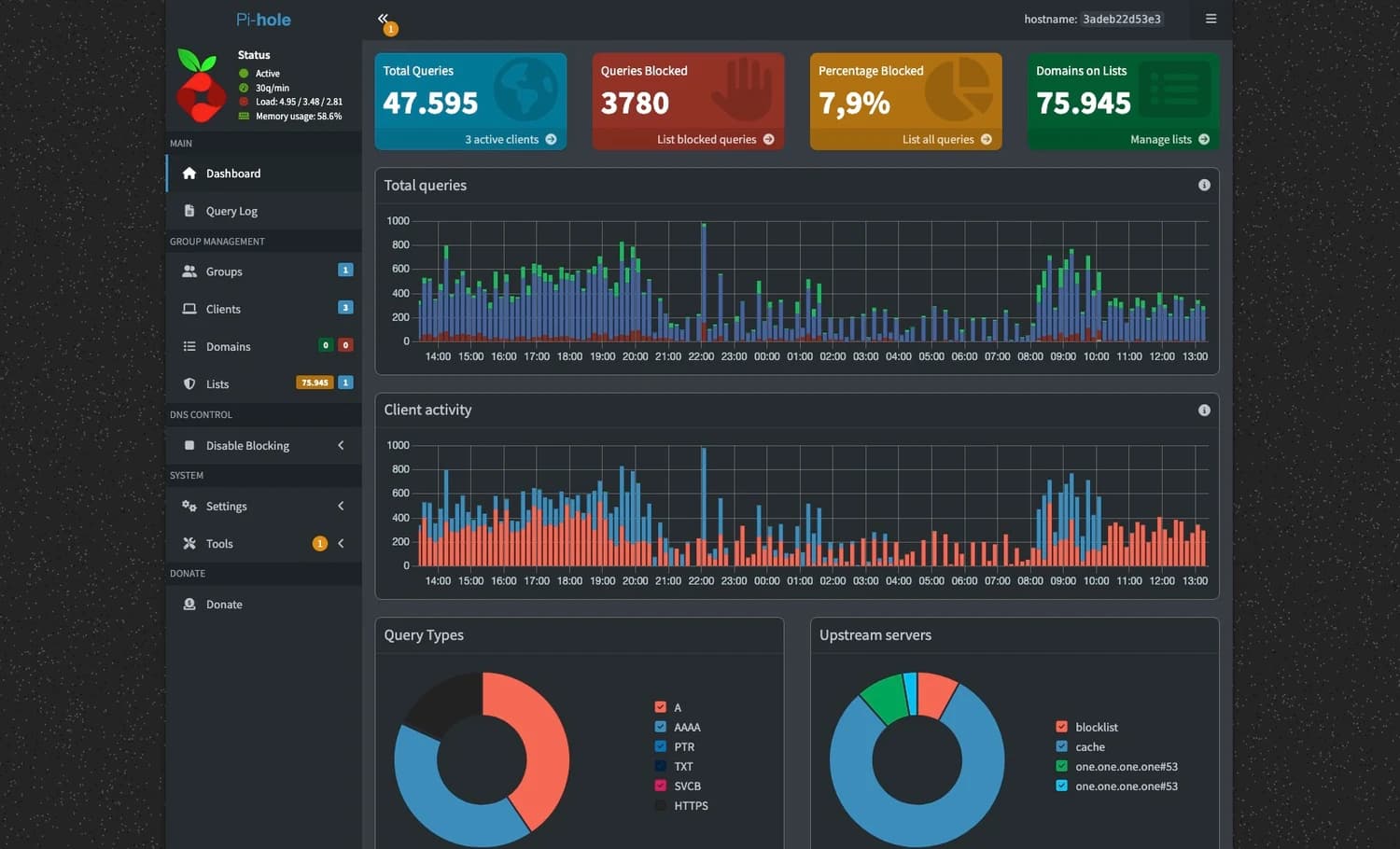
With Pi-hole I can observe DNS requests and filter those to certain domains, including ones associated with advertising and tracking. I like being able to connect something I use to something happening on the network. The statistics give me a place to ask questions: they show domain requests without revealing all connection contents or how data is used.
Why filtering matters to me
Advertising bothers me most when it comes with the feeling of being followed. Information about what I look at, when I use a device and which interests I show has value. I want more say over how much I let out and what convenience I get in return. Filtering is a small practical choice within that broader curiosity.
Pi-hole does not block every ad or make my browsing invisible. DNS filtering has limits when content and ads come from the same domain; a browser extension works differently. I am learning to distinguish these layers and choose tools according to what they can actually do.
I like using it away from home too
Pairing it with Tailscale lets me use filtering on connected devices away from home too. It is one reason I keep the connection active. Connecting to Pi-hole for DNS is different from routing all browsing through the server: I keep those two things separate when describing my setup.
There are still dependencies I chose, such as Tailscale coordination and Google sign-in. I want to understand them and decide how much I need them. Pi-hole, a browser filter or an alternative like AdGuard Home interest me because they make me ask more precise questions instead of stopping at a vague promise of “more privacy”.
Read further